
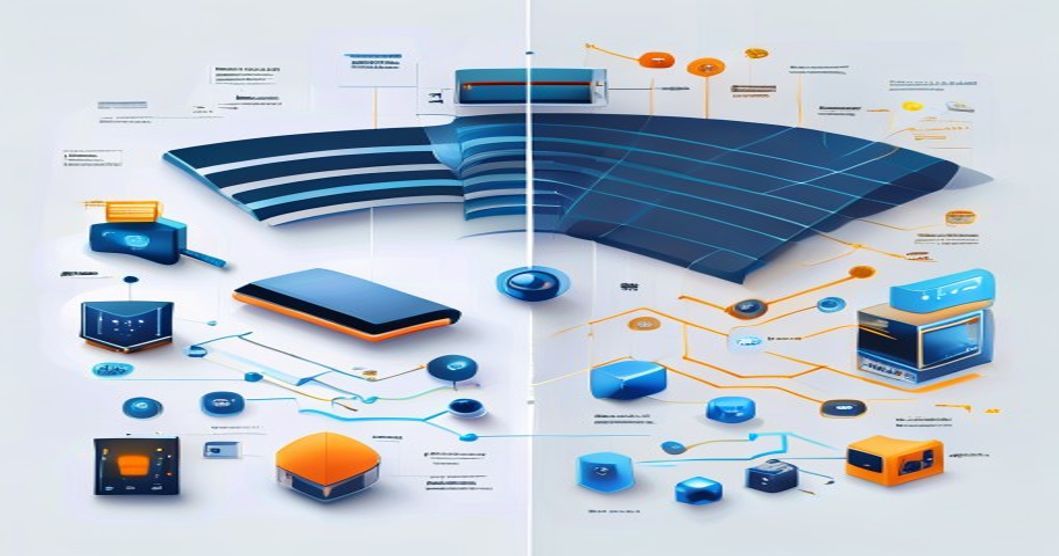
If you’ve been shopping for Matter-certified smart home devices, you’ve probably noticed two different connectivity types on the box: Wi-Fi and Thread. Both work with Matter. Both connect to Google Home, Apple Home, Alexa, and SmartThings. But they work very differently under the hood — and choosing the wrong one for your home can mean slower response times, worse reliability, or wasted money on extra hardware.
This guide breaks down exactly how Matter over Wi-Fi and Matter over Thread compare, when to choose each, and what you need to make Thread work in your home.
Quick Answer: Matter Wi-Fi vs Thread
⚡ Quick Verdict
Choose Matter Wi-Fi if you want plug-and-play simplicity, you already have a strong Wi-Fi network, and you’re buying a small number of devices (1–5).
Choose Matter Thread if you’re building a larger smart home (6+ devices), you want the fastest response times, or you already own a Thread Border Router (HomePod mini, Apple TV 4K, Echo 4th Gen, Google Nest Hub 2nd Gen).
Bottom line: Thread is technically superior for dense smart home setups. Wi-Fi is easier to get started with. Most serious smart home enthusiasts end up with a mix of both.
What Is Matter Over Wi-Fi?
Matter over Wi-Fi works just like any other Wi-Fi smart device — except it uses the open Matter protocol instead of a proprietary app. The device connects directly to your 2.4 GHz Wi-Fi network and communicates through your existing router.
How it works:
- Device connects to your Wi-Fi router over 2.4 GHz (Matter doesn’t support 5 GHz)
- Commands travel: your phone/hub → router → device
- No extra hardware needed beyond your existing Wi-Fi setup
- Works with any Matter controller (Google Home, Apple Home, Alexa, SmartThings)
Common Matter Wi-Fi devices: TP-Link Tapo plugs and switches, Meross smart plugs and switches, GE CYNC smart switches, most Aqara cameras, Nanoleaf Essential bulbs.
What Is Matter Over Thread?
Thread is a low-power, mesh networking protocol designed specifically for smart home devices. Instead of connecting each device to your Wi-Fi router, Thread devices form their own self-healing mesh network. They communicate with your home hub through a device called a Thread Border Router.
How it works:
- Thread devices communicate with each other over a dedicated 802.15.4 radio (2.4 GHz band, different from Wi-Fi)
- The Thread network connects to your home network via a Thread Border Router
- Commands travel: your phone/hub → Thread Border Router → Thread mesh → device
- Devices can relay signals through each other (mesh), extending range automatically
Common Matter Thread devices: Eve Energy, Eve Door & Window, Eve Motion, Nanoleaf Essentials (Thread version), some Aqara sensors, Leviton Eve Light Switch.
Pro Tip: Thread Border Routers are built into devices you may already own — Apple HomePod mini, Apple TV 4K (2nd gen+), Amazon Echo (4th gen), Google Nest Hub (2nd gen), and Google Nest WiFi Pro all include Thread Border Routers. Check your existing hubs before buying anything new. See our Thread Border Router explained guide for full details.
Matter Wi-Fi vs Thread: Side-by-Side Comparison
| Feature | Matter Wi-Fi | Matter Thread |
|---|---|---|
| Setup complexity | ✅ Simple — scan QR code, join Wi-Fi | ⚠️ Requires Thread Border Router |
| Extra hardware needed | ✅ None — uses existing router | ⚠️ Thread Border Router required |
| Response speed | Good (50–200ms typical) | ✅ Excellent (10–50ms typical) |
| Power consumption | Higher — Wi-Fi radio always on | ✅ Very low — battery-friendly |
| Battery devices | ⚠️ Poor battery life with Wi-Fi | ✅ Ideal — years on a single battery |
| Network congestion | ⚠️ Adds load to your Wi-Fi network | ✅ Separate network — no Wi-Fi load |
| Range extension | Limited by Wi-Fi router range | ✅ Self-healing mesh — auto-extends |
| Scalability | ⚠️ Gets congested at 20–30 devices | ✅ Scales to 250+ devices per network |
| Device availability | ✅ Wide — most brands offer Wi-Fi | Growing — Eve, Nanoleaf, Aqara |
| Price | ✅ Usually cheaper per device | Slightly more expensive per device |
| Works without internet | ✅ Local control (Matter spec) | ✅ Local control (Matter spec) |
| Best for | Plugged-in devices, small setups | Battery sensors, large smart homes |
Thread Border Routers: What You Need
Thread devices won’t work without at least one Thread Border Router on your network. The good news is that many popular smart home hubs already include one.
Thread Border Routers You May Already Own
| Device | Price | Platform | Thread Support |
|---|---|---|---|
| Apple HomePod mini | ~$99 | Apple Home | ✅ Built-in TBR |
| Apple TV 4K (2nd gen+) | ~$129–$149 | Apple Home | ✅ Built-in TBR |
| Amazon Echo (4th gen) | ~$99 | Amazon Alexa | ✅ Built-in TBR |
| Google Nest Hub (2nd gen) | ~$99 | Google Home | ✅ Built-in TBR |
| Google Nest WiFi Pro | ~$199–$299 | Google Home | ✅ Built-in TBR |
| eero Pro 6E / Max 6E | ~$149–$299 | Multi-platform | ✅ Built-in TBR |
For a full guide on setting up and optimizing Thread Border Routers, see our dedicated article: Thread Border Router Explained + Setup Guide →
When to Choose Matter Wi-Fi
Matter Wi-Fi is the right choice when:
- You’re just getting started — no extra hardware required, just scan and pair
- You need plugged-in devices — power outlets, switches, plugs — battery life isn’t a concern
- You have a small setup (1–10 devices) — Wi-Fi handles this easily without congestion
- Budget is a priority — Wi-Fi Matter devices are typically $5–$15 cheaper than Thread equivalents
- Your router coverage is strong — every room has solid 2.4 GHz signal
Best Wi-Fi Matter devices to start with:
- TP-Link Tapo P125M Smart Plug — ~$10–15, excellent budget Wi-Fi Matter plug
- Meross MSS315 Smart Plug with Energy Monitoring — ~$15–20
- TP-Link Tapo S505D Smart Dimmer Switch — ~$19–25
See our full roundups: Best Matter Smart Plugs 2026 | Best Matter Smart Switches 2026
When to Choose Matter Thread
Matter Thread is the right choice when:
- You already have a Thread Border Router — HomePod mini, Apple TV 4K, Echo 4th Gen, Nest Hub 2nd Gen all qualify
- You need battery-powered sensors — Thread’s low-power design gives sensors 2–5 year battery life; Wi-Fi drains batteries in weeks
- You’re building a large smart home (10+ devices) — Thread’s mesh architecture handles scale better than Wi-Fi
- You want fastest response times — Thread devices typically respond 3–5x faster than Wi-Fi devices
- Your Wi-Fi is already congested — Thread runs on its own dedicated radio, won’t compete with your streaming and work devices
- You want a self-healing network — Thread devices relay signals through each other; if one goes offline the network reroutes automatically
Best Thread Matter devices to start with:
- Eve Energy Thread Smart Plug — ~$39, best-in-class Thread plug
- Eve Door & Window Thread Sensor — ~$39, 2+ year battery life
- Nanoleaf Essentials Thread Bulbs — ~$19–29, great Thread lighting
Can You Mix Wi-Fi and Thread Matter Devices?
Yes — and most smart home setups do exactly this. Matter is protocol-agnostic, which means your Google Home, Apple Home, or Alexa can control Wi-Fi and Thread devices simultaneously from the same app. They appear as regular smart home devices regardless of how they connect.
A common mixed setup looks like this:
- Smart switches and plugs → Wi-Fi (plugged-in, no battery concern)
- Door/window sensors and motion sensors → Thread (battery-powered, need low power)
- Smart locks → Thread or Wi-Fi depending on brand
- Smart lights → Thread or Wi-Fi both work well
Pro Tip: When buying battery-powered sensors (door sensors, motion sensors, presence sensors), always prioritize Thread versions over Wi-Fi versions. The battery life difference is dramatic — Thread sensors typically last 1–3 years per battery vs. weeks or months for Wi-Fi sensors.
The Matter Bridge: Connecting Non-Thread/Wi-Fi Devices
Some smart home hubs use a Matter Bridge to make older Zigbee or Z-Wave devices appear as native Matter devices. This lets you control legacy devices from any Matter controller without replacing them.
If you’re planning a mixed ecosystem with older devices, check out our full explainer: Matter Bridge Explained + Setup Guide →
Frequently Asked Questions
Do Thread devices work with all Matter controllers?
Yes. Any Matter-certified controller (Google Home, Apple Home, Alexa, SmartThings, Home Assistant) can control Thread-based Matter devices, as long as at least one Thread Border Router is present on your network. The controller itself doesn’t need to support Thread directly.
What happens if my Thread Border Router goes offline?
Thread devices temporarily lose remote access, but if you have multiple Thread Border Routers (which is recommended), the network automatically fails over to the next available one. Locally in your home, Thread devices can still communicate with each other even without internet — that’s one of Thread’s strengths over Wi-Fi.
Is Thread the same as Zigbee?
No. Thread and Zigbee both use the 802.15.4 radio standard for the physical layer, but they use completely different networking protocols above that. Zigbee uses a proprietary mesh protocol, while Thread uses IP-based networking (IPv6). This makes Thread much more compatible with modern internet infrastructure and the Matter protocol. See our full comparison: Matter vs Zigbee vs Z-Wave →
Can Matter devices switch between Wi-Fi and Thread?
No. The wireless radio is built into the device hardware — a Wi-Fi Matter device cannot switch to Thread, and vice versa. The connectivity type is determined at purchase. Some devices (like certain Nanoleaf products) come in both Wi-Fi and Thread versions, so check the product listing carefully.
How many Thread Border Routers do I need?
For a reliable Thread network, 2 Thread Border Routers are recommended as a minimum. Most Apple Home users have this covered with a HomePod mini + Apple TV 4K combination. Google Home users can use two Nest Hub 2nd Gen devices. Having multiple Border Routers improves reliability and coverage significantly.
Our Recommended Setup by Home Size
🏠 Recommended Setup Guide
Studio / 1-Bedroom (1–5 devices):
Start with Wi-Fi Matter devices — simple setup, no extra hardware. Best starter: see our Matter Starter Kits guide.
2–3 Bedroom Home (5–15 devices):
Mix of Wi-Fi (switches, plugs) + Thread (sensors). Add one Thread Border Router if you don’t already have one — a HomePod mini or Echo 4th Gen works great.
Large Home / Enthusiast (15+ devices):
Prioritize Thread where possible. Use 2–3 Thread Border Routers for redundancy. Wi-Fi for high-power devices (switches, plugs), Thread for all battery sensors and lights.
For hub recommendations, see: Best Matter Home Hubs 2026 →
Final Verdict
⚡ Quick Verdict: Which Should You Choose?
Choose Wi-Fi if you’re new to Matter, have a small home, or need plugged-in devices like smart plugs and switches. Setup is instant and no extra hardware is needed.
Choose Thread if you need battery sensors, have 10+ devices, or already own a Thread Border Router. Thread’s lower latency and mesh architecture make it the better long-term choice for serious smart home setups.
Best strategy: Use both. Wi-Fi for plugged-in high-power devices, Thread for battery sensors and anything requiring fast, reliable response. Together, they give you the best of both worlds under the unified Matter standard.